한국어
Lawnect Platform

Enterprise AI
execution and management.

Lawnect Platform supports enterprise AI transformation (AX) through deployment on premises or in the cloud. Built on enterprise capabilities including SSO, audit logs, and centralized management of users, permissions, and models, it provides enterprise Word editing, document analysis, AI agents, and workflow automation in one environment. It connects internal data and systems in line with organizational security policies and workflows, supporting the implementation, adoption, and operation of AI across the enterprise.
Contact us
Word editing with side chat

Agent execution for enterprise workflows

An agent harness combines context management, tool use, delegation, approvals, and execution records. It manages work across multiple steps under organizational permissions and policies.

Internal document integration

Files and cabinets provide working context within access permissions.

Execution across multiple steps

Context management, tools, and subagents support successive review and drafting steps.

Execution approvals and records

Required approvals precede execution, with tool calls and execution records available for review.

Specialist task delegation with subagents

A lead agent delegates research, review, and drafting to subagents and consolidates their results. Each task receives its own instructions and context, with progress and conversations available for review.
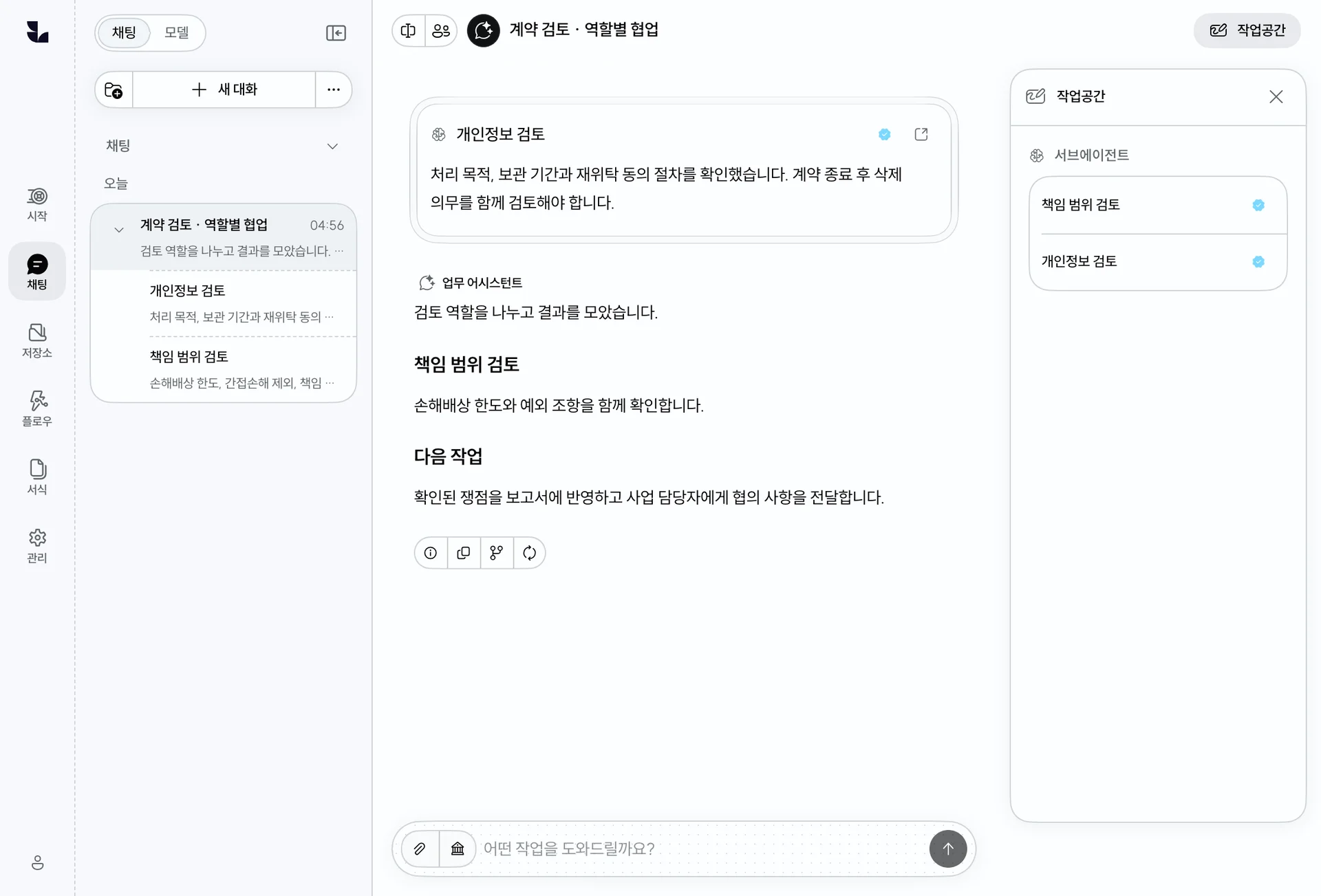
Specialist delegation

Pass the instructions and context each task needs.

Progress and findings

Inspect child conversations and collect their findings in the parent conversation.

Permissions and approval

Apply tool permissions and approval policies to delegated work.

Delegated tasks and collected subagent findings

Document analysis from selected passages to every page

Find individual clauses or review a long document in full. Use text and rendered pages from Word, PDF, HWP, and HWPX, and return to the source passages behind an answer.
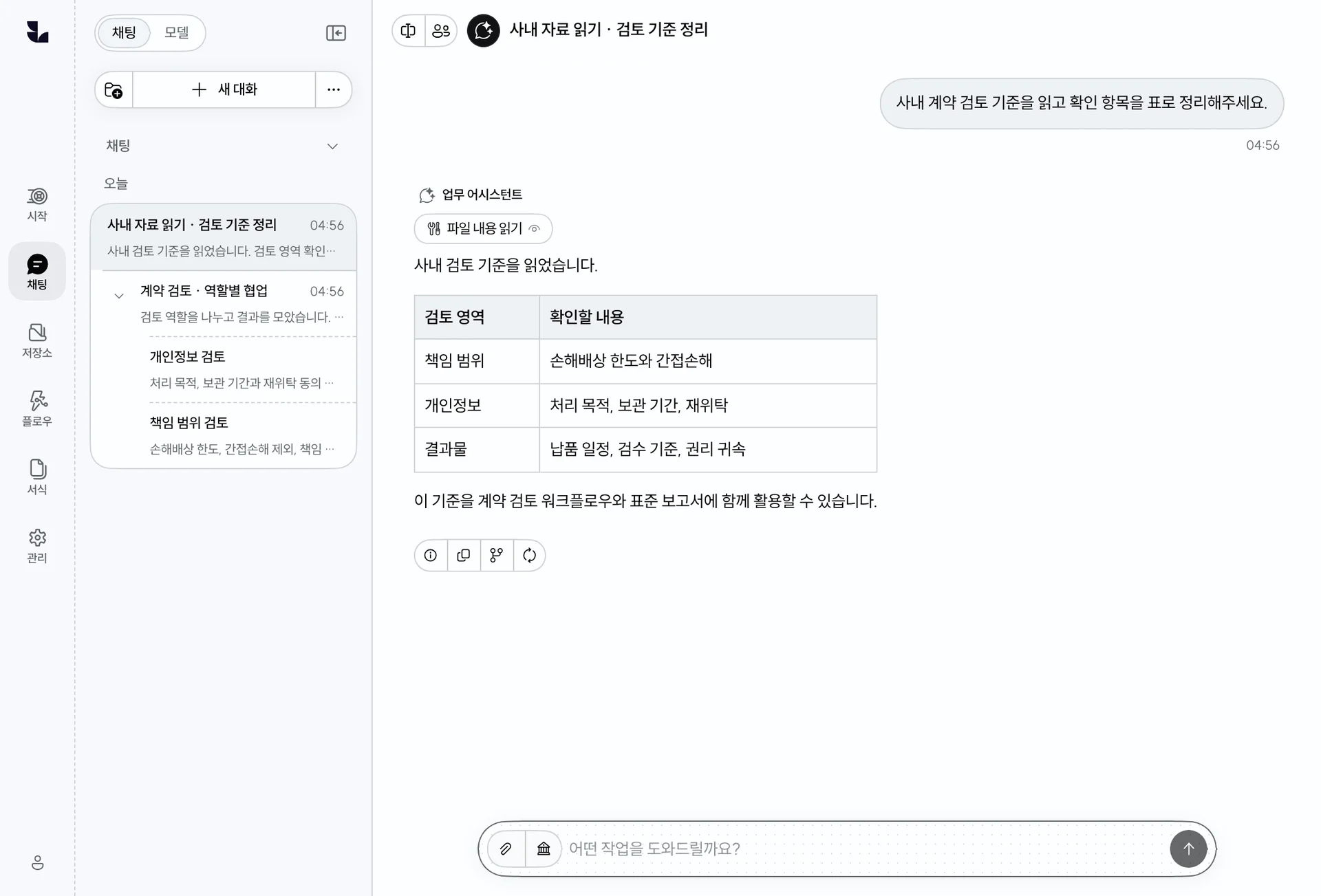
Targeted reading

Find relevant passages and inspect text, rendered pages, tables, and layout.

Whole document sweep

Work through every page against your questions and collect answers and references. Optional verification checks support and omissions, distinguishing results that could not be verified.

Find relevant passages, inspect source text and rendered pages, and answer questions or organize review points.

Reading internal documents and organizing review criteria

Word document editing and template management

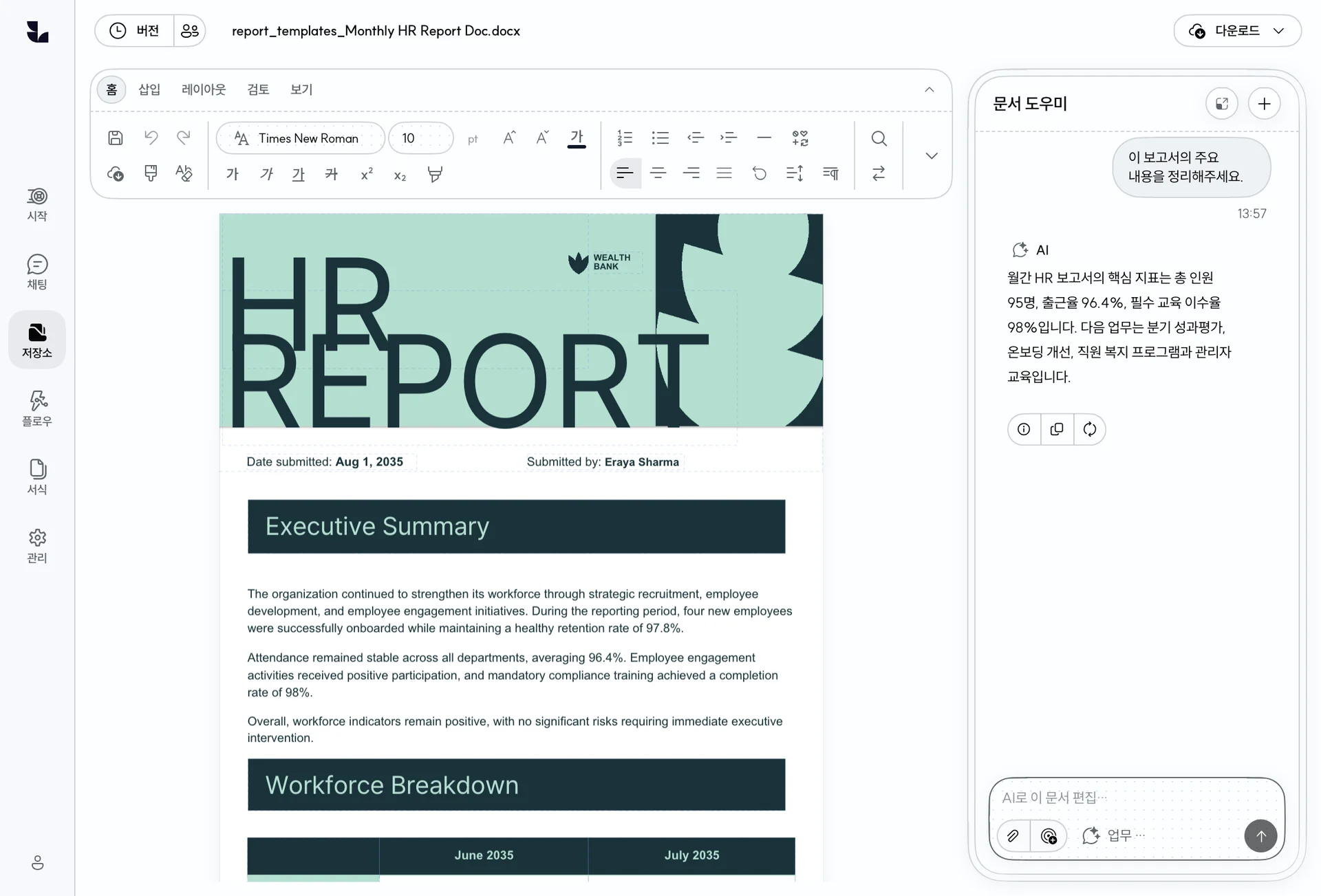
Lawnect’s own Word renderer displays paragraphs, tables, and page layouts for document creation and editing in the browser. Users review content in side chat. Organizational templates go through review of generation plans and samples, followed by approval before use.

Edit Word documents with paragraphs, tables, and page layouts visible, and connect selections to the side chat for review.

Word editing with side chat
Word editing

Edit real DOCX paragraphs, tables, and page layouts. Connect selections to side chat and manage changes and document versions.

Templates and review

Register Word templates and review generation plans and samples prepared by AI. Request changes and generate documents from approved revisions.

Workflow design and business app operation

Document analysis, review, and drafting processes can be defined as workflows and published as apps with input forms and results screens. Members run published apps and inspect execution status and outputs.
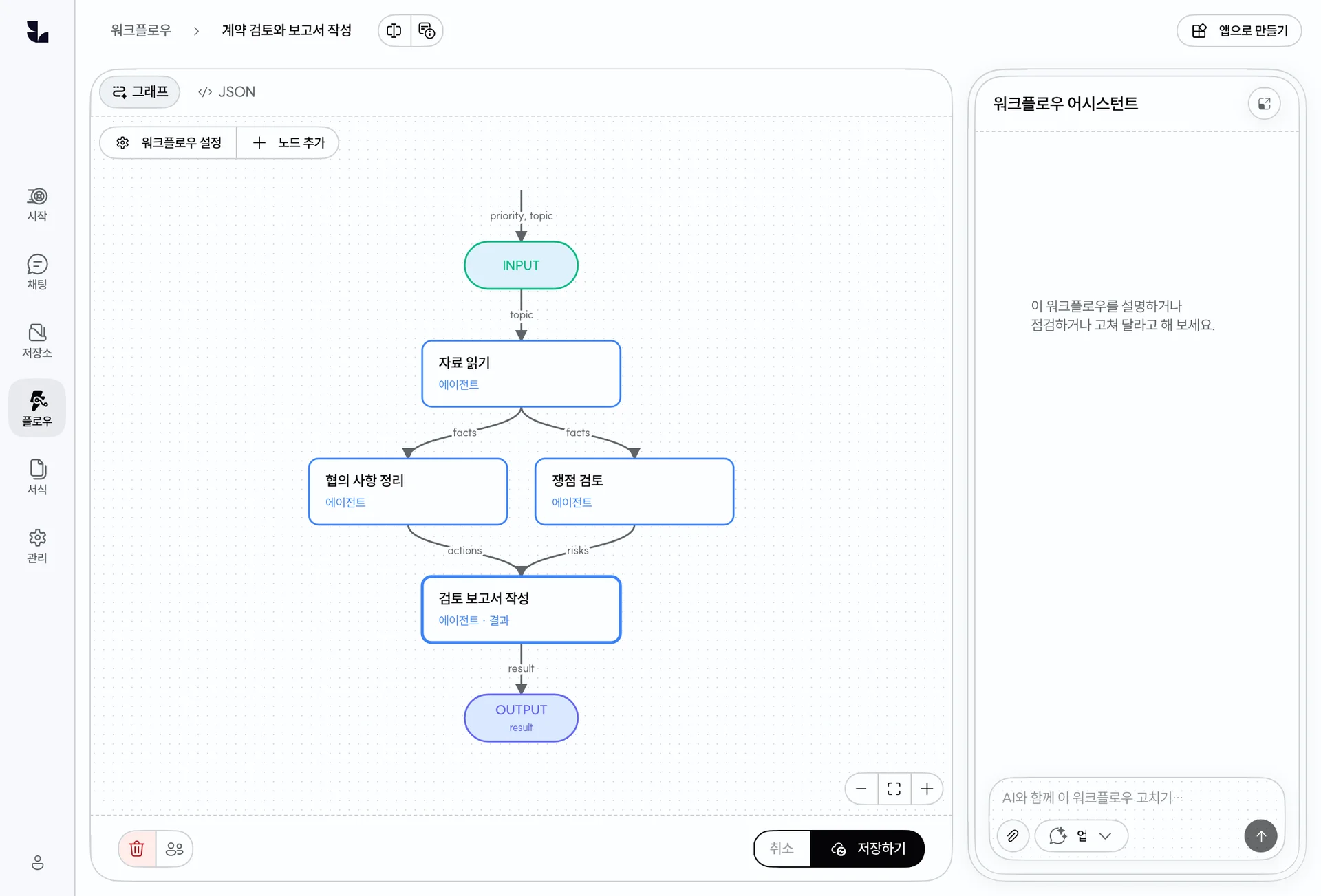
Connect reading, analysis, and drafting steps into workflows with parallel execution, branching, and loops.

A workflow connecting parallel reviews and report writing
Workflow design

Define dependencies, parallel review, branching, and loops in a graph.

Apps for team members

Configure document, folder, and choice inputs and run a published version.

History and resumption

Persist input waits and execution state, retry failed steps, and inspect each run’s configuration and outputs.

Internal document management and AI integration

The platform supports browsing, previewing, and managing personal and shared files. Materials organized in cabinets can be used in organizational AI workflows.
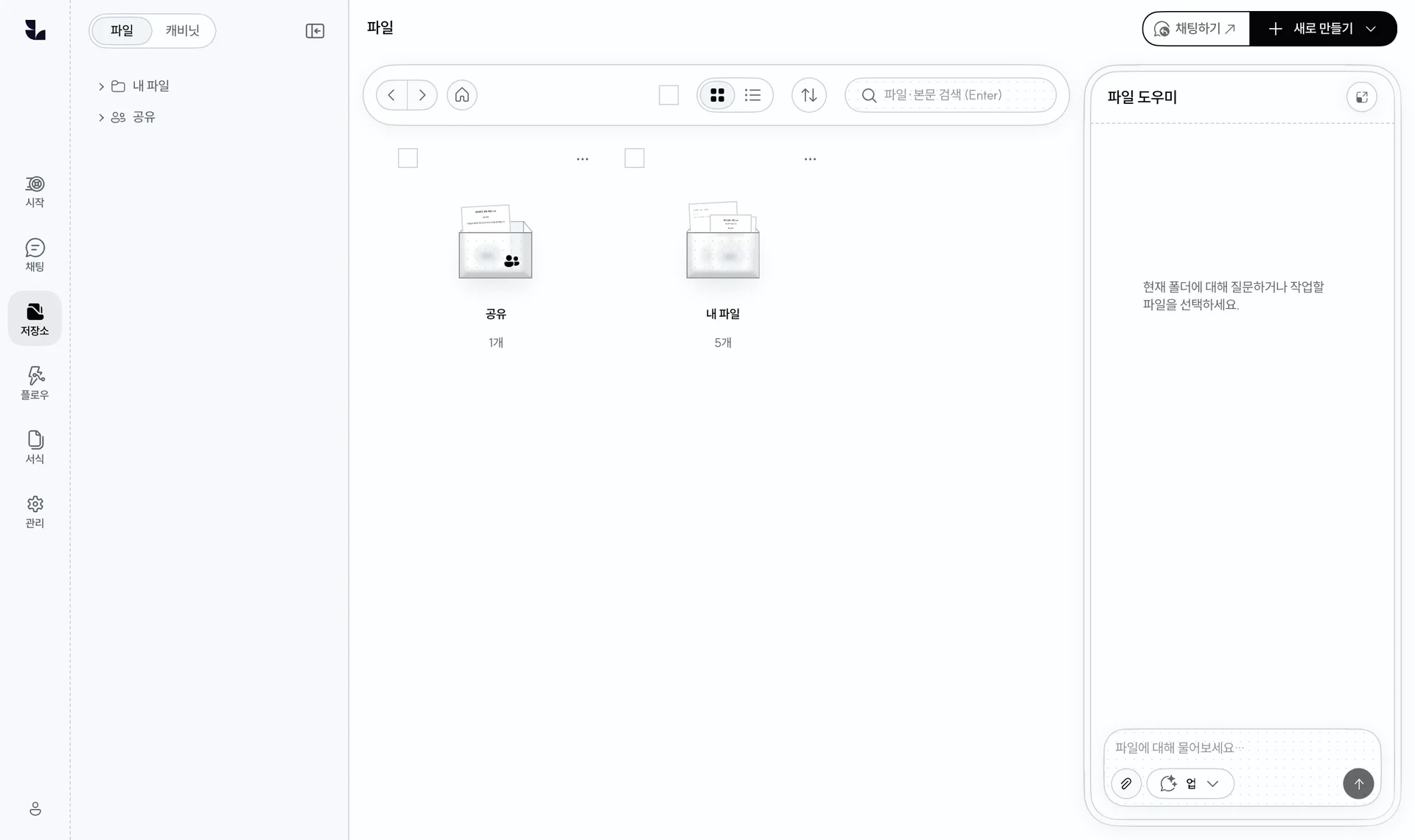
Open personal and shared materials from the file tab.

The file tab’s main storage screen
Team and organization ownership

Manage work materials under team or organization ownership.

Sharing and permissions

Separate viewing and editing and manage access to cabinets and their contents.

Use shared materials with AI

Attach shared materials to conversations, analyze them, or select them as app inputs, with access checked at use time.

Reusable procedures and internal system integration

Search materials in cabinets and use skills with instructions and references alongside tools that connect existing systems.

Cabinet search

Find internal materials, inspect their sources, and use them in answers and documents.

Skills

Package instructions and reference files to reuse review criteria and working methods.

MCP and custom tools

Connect external tools and internal systems with integrations designed around authentication and access.

Organizational access and AI operating policies

Organization administrators manage their users, teams, sharing, and access policies. Platform administrators operate the model catalog, connected endpoints, and system defaults.
Users and teams

Manage organizational roles and groups, deactivate accounts, and hand over owned resources.

Sharing policies

Manage sharing and ownership for materials, models, skills, workflows, apps, and templates.

Identity and sessions

Manage enterprise OIDC login, organization and user IP restrictions, session lifetimes, and revocation.

Available models and defaults

Platform administrators manage model availability, replacement, and system defaults. Organization administrators choose their default model.

Tools and execution policies

Configure available tools and connections and operate approval requirements according to policy.

Usage and audit

Inspect usage and administrative audit records. Configure cost and quota policies through TokenBouncer.

Storage and retention

Manage storage limits per user and trash retention through global policies and permitted organization overrides.

Operational settings

Platform administrators operate model connections and shared settings, with storage and search configured within administrative scope.

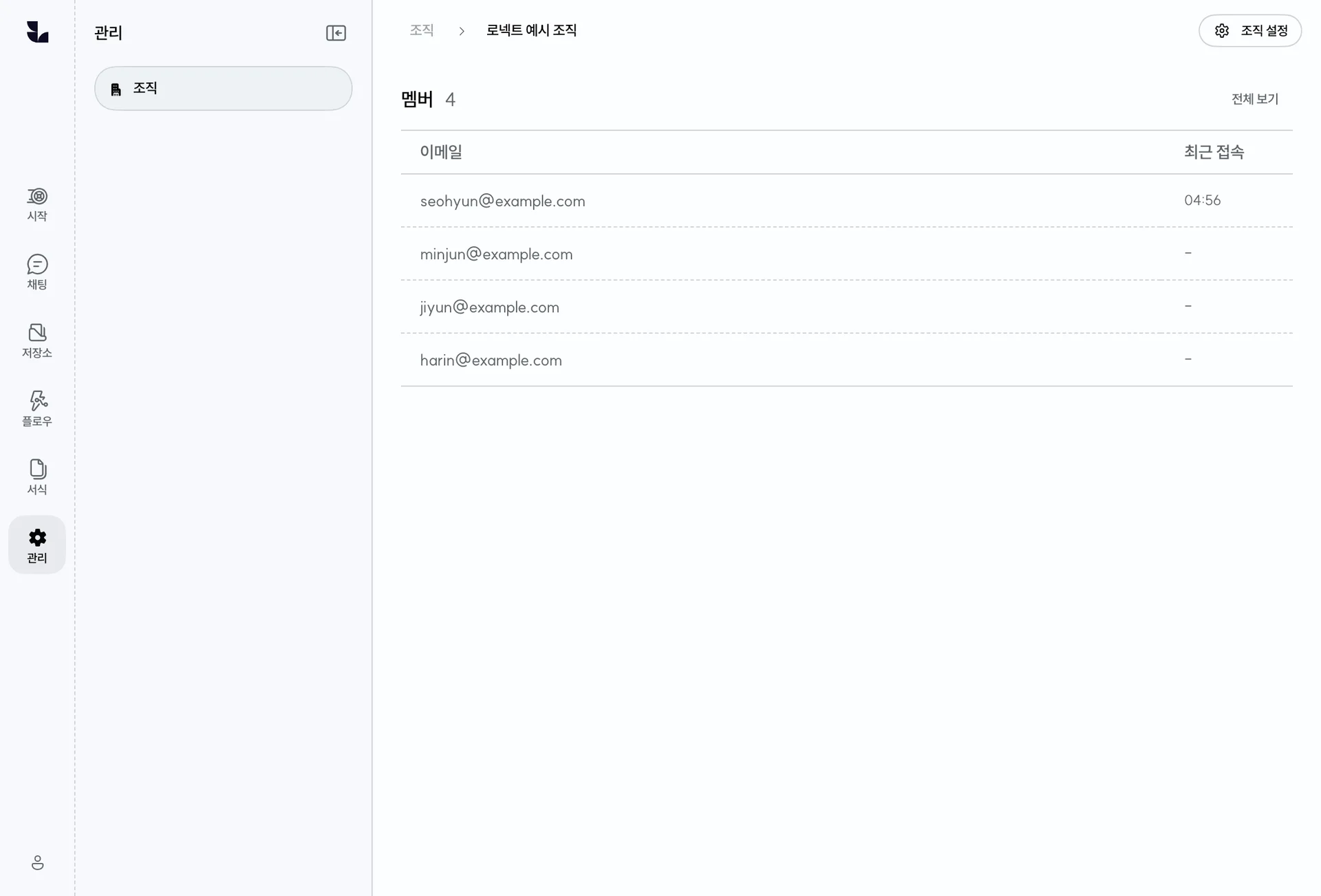
Users and accounts

Review organization membership and account status in one place.

Organization administration overview

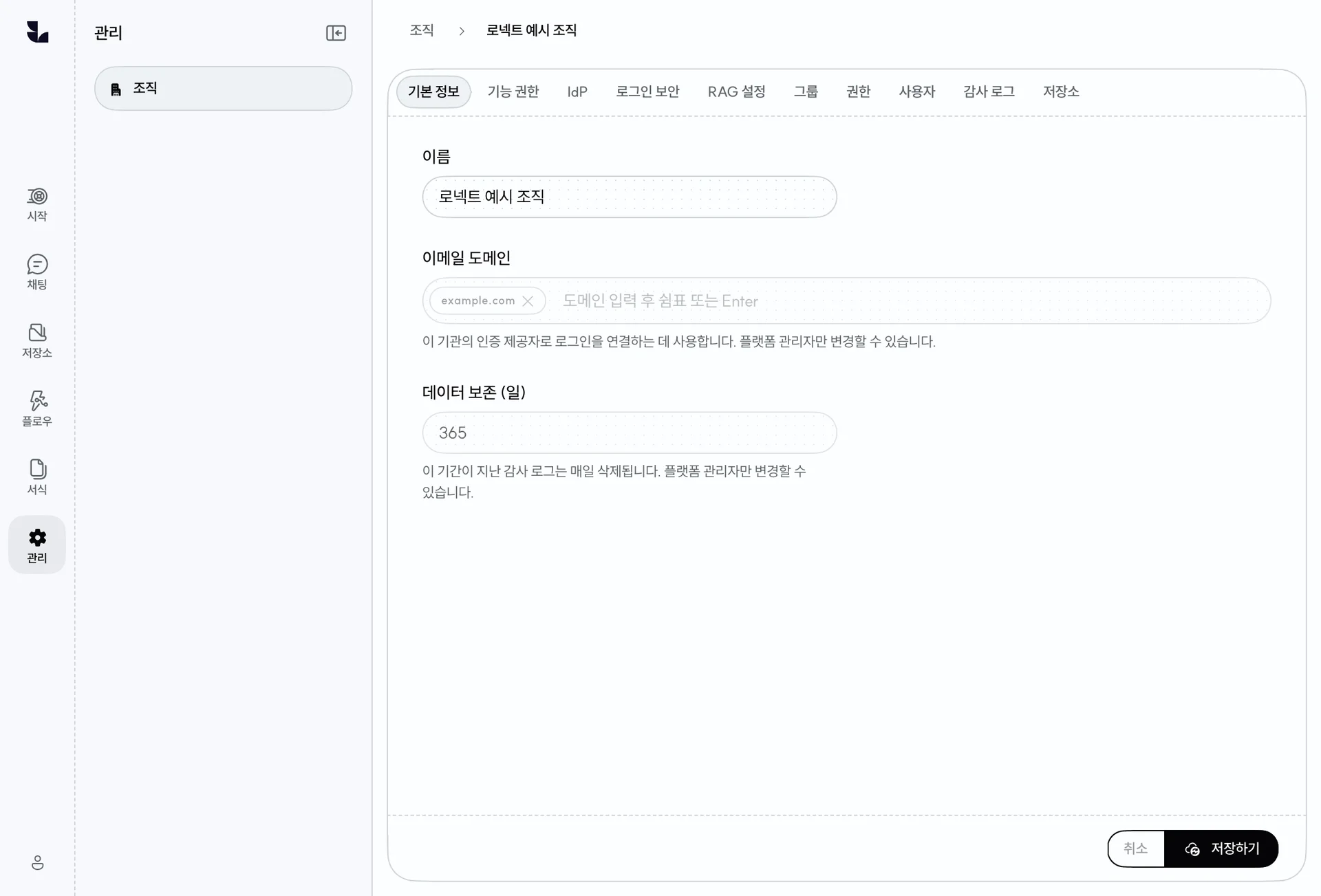
Organization and sharing

Review the organization name, login domains, and data retention period.

Organization name, login domains, and data retention settings

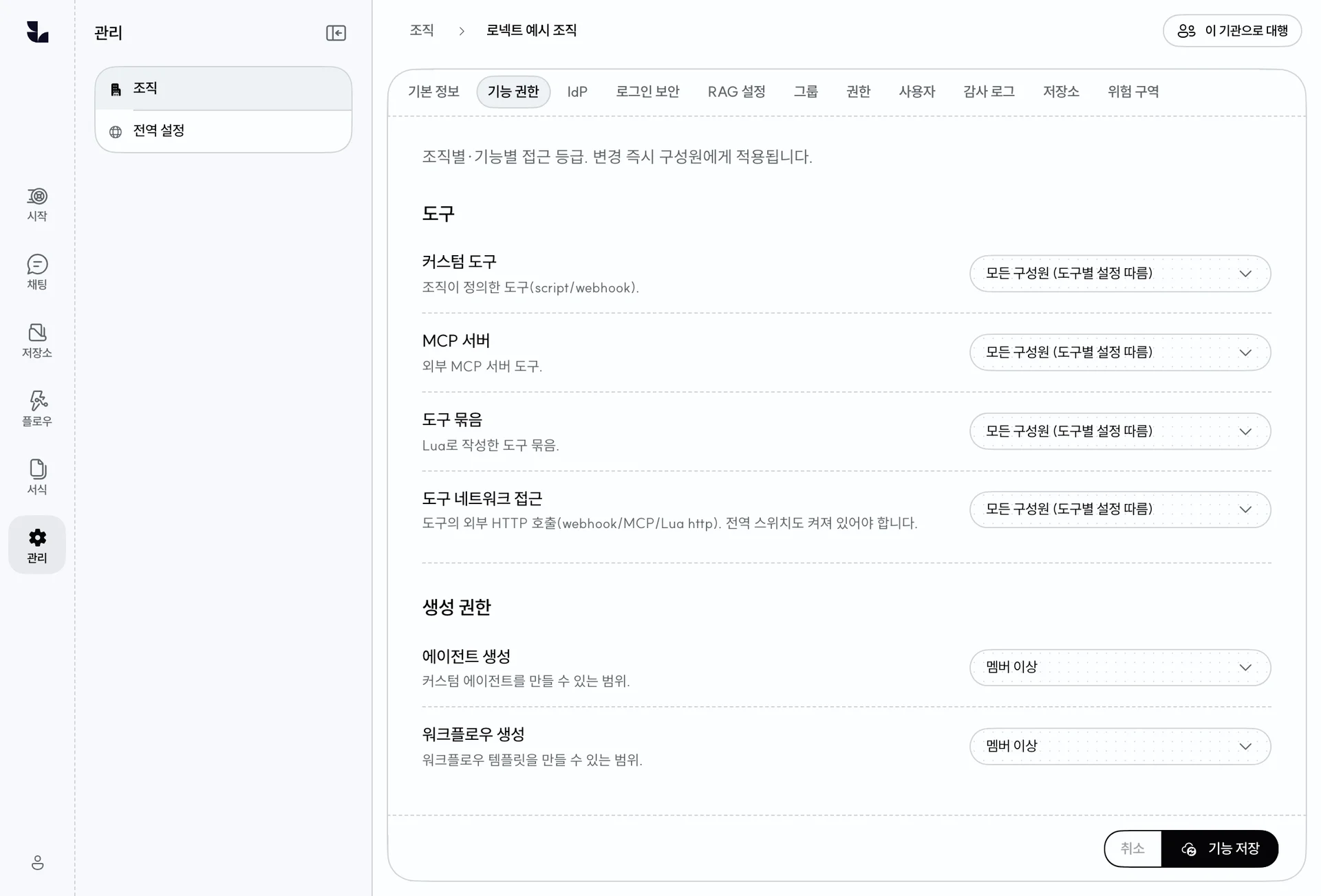
Features and login

Platform administrators choose features available to each organization.

Feature permissions by organization

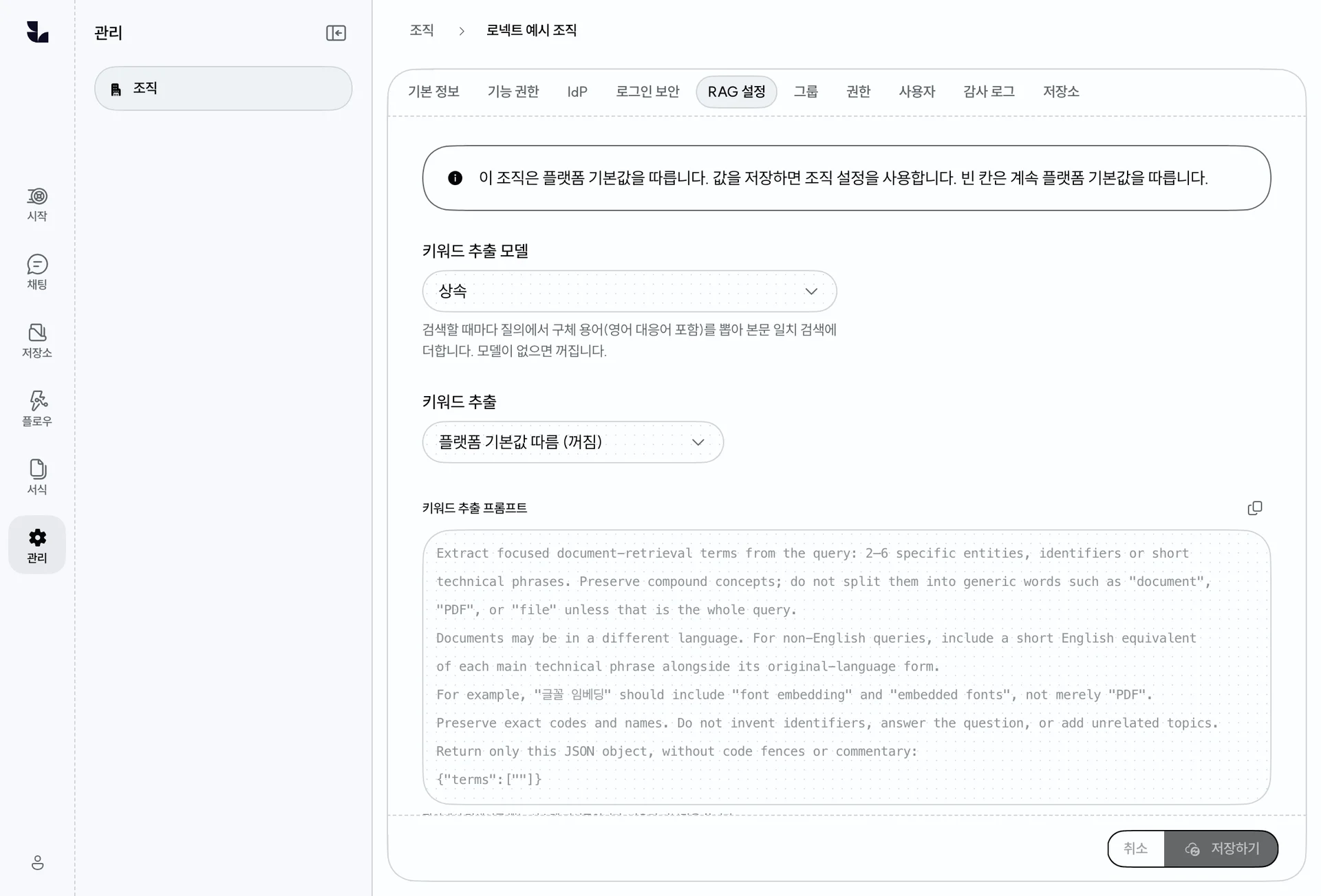
Search and data operation

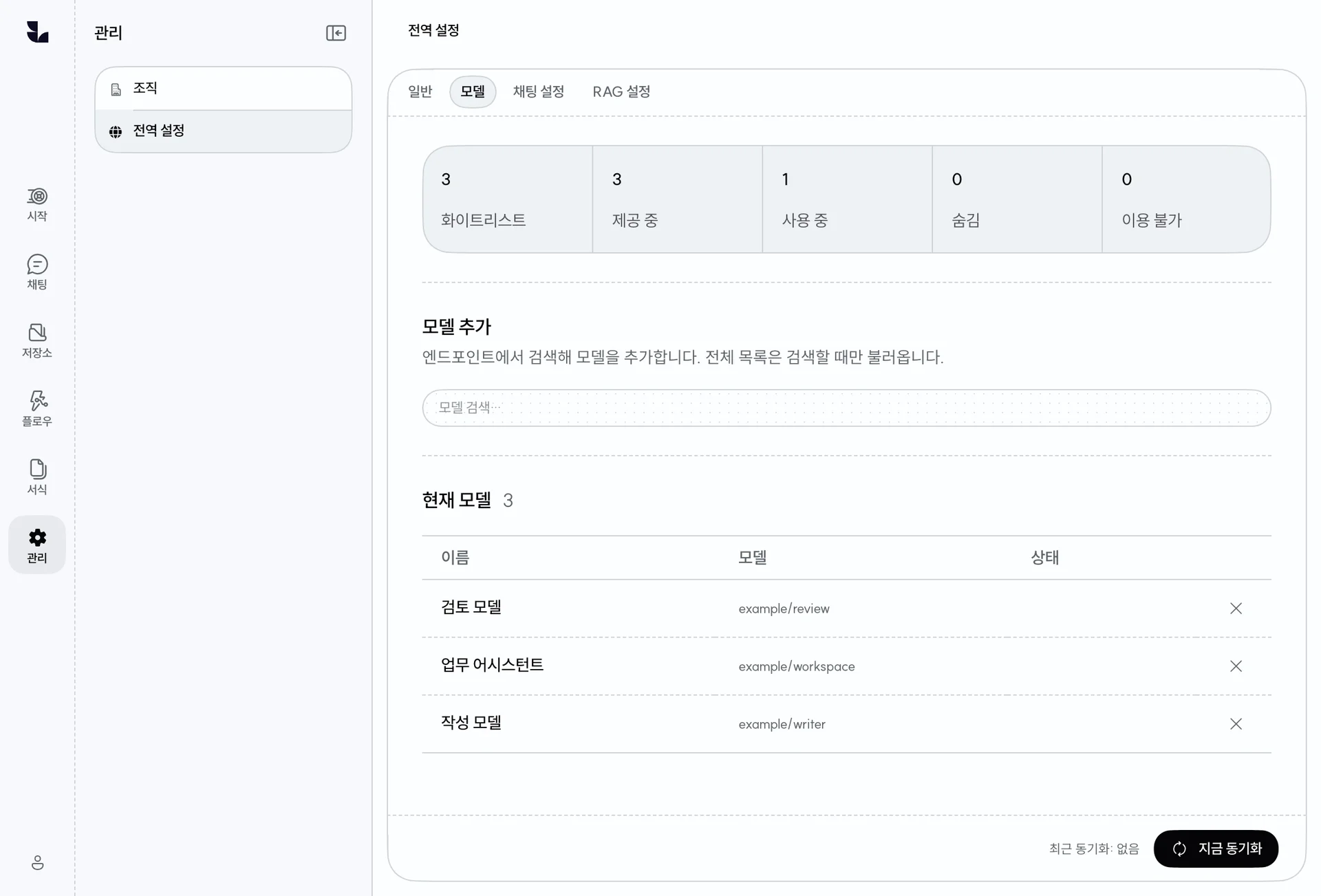
Models and system settings

Manage the models offered to organizations and inspect the whitelist and available and used models.

Managing the available model catalog

Implementation and operational support for enterprise environments

Lawnect Platform is the product foundation for an enterprise AI workspace. FirmAssistant adds data and system integration, tailored development, training, and ongoing operation.

Understand the work

Review workflows, materials, criteria, security policies, and existing systems.

Configure and integrate

Configure models, access, tools, workflows, apps, and integrations.

Adopt and operate

Validate with users, provide training, and improve around real usage.

Explore FirmAssistant

Lawnect Platform implementation consultation

We review organizational processes, security policies, and existing systems to define applicable workflows, integration requirements, and an implementation plan.