'%3e%3cg%20id='icon'%20transform='translate(24.347%2024.858)'%3e%3cpath%20d='M72.341,0H0A72.873,72.873,0,0,0,1.47,14.579,71.979,71.979,0,0,0,5.685,28.159a72.347,72.347,0,0,0,6.67,12.288,72.86,72.86,0,0,0,8.834,10.706,72.864,72.864,0,0,0,10.706,8.834,72.349,72.349,0,0,0,12.288,6.67,71.976,71.976,0,0,0,13.579,4.215,72.877,72.877,0,0,0,14.579,1.47V0Z'%20transform='translate(-0.434%20-0.434)'%20fill='%230d0c22'/%3e%3cpath%20d='M72.341,0H0A72.873,72.873,0,0,0,1.47,14.579,71.979,71.979,0,0,0,5.685,28.159a72.347,72.347,0,0,0,6.67,12.288,72.86,72.86,0,0,0,8.834,10.706,72.864,72.864,0,0,0,10.706,8.834,72.349,72.349,0,0,0,12.288,6.67,71.976,71.976,0,0,0,13.579,4.215,72.877,72.877,0,0,0,14.579,1.47V0Z'%20transform='translate(-0.434%2071.907)'%20fill='%230d0c22'/%3e%3cpath%20d='M72.341,72.341H0A72.873,72.873,0,0,1,1.47,57.762,71.946,71.946,0,0,1,12.355,31.895,72.552,72.552,0,0,1,44.183,5.685,71.976,71.976,0,0,1,57.762,1.47,72.876,72.876,0,0,1,72.341,0V72.341Z'%20transform='translate(71.908%2071.907)'%20fill='%230d0c22'/%3e%3c/g%3e%3c/g%3e%3c/svg%3e)
'%3e%3cg%20id='icon'%20transform='translate(24.347%2024.858)'%3e%3cpath%20d='M72.341,0H0A72.873,72.873,0,0,0,1.47,14.579,71.979,71.979,0,0,0,5.685,28.159a72.347,72.347,0,0,0,6.67,12.288,72.86,72.86,0,0,0,8.834,10.706,72.864,72.864,0,0,0,10.706,8.834,72.349,72.349,0,0,0,12.288,6.67,71.976,71.976,0,0,0,13.579,4.215,72.877,72.877,0,0,0,14.579,1.47V0Z'%20transform='translate(-0.434%20-0.434)'%20fill='%23fff'/%3e%3cpath%20d='M72.341,0H0A72.873,72.873,0,0,0,1.47,14.579,71.979,71.979,0,0,0,5.685,28.159a72.347,72.347,0,0,0,6.67,12.288,72.86,72.86,0,0,0,8.834,10.706,72.864,72.864,0,0,0,10.706,8.834,72.349,72.349,0,0,0,12.288,6.67,71.976,71.976,0,0,0,13.579,4.215,72.877,72.877,0,0,0,14.579,1.47V0Z'%20transform='translate(-0.434%2071.907)'%20fill='%23fff'/%3e%3cpath%20d='M72.341,72.341H0A72.873,72.873,0,0,1,1.47,57.762,71.946,71.946,0,0,1,12.355,31.895,72.552,72.552,0,0,1,44.183,5.685,71.976,71.976,0,0,1,57.762,1.47,72.876,72.876,0,0,1,72.341,0V72.341Z'%20transform='translate(71.908%2071.907)'%20fill='%23fff'/%3e%3c/g%3e%3c/g%3e%3c/svg%3e)


Single compatible control layer
Unify requests without changing how existing OpenAI-compatible clients and internal AI services connect.
TokenBouncer is a system that puts company policy in control of internal AI usage and spend. Keep existing AI services and workflows as they are, connect organizational identities, and enforce limits and detailed policies by user and group — with reporting metrics, request records, and configurable failure and fallback behavior.
Go beyond observing who uses which model. Enforce limits in the request path according to organizational structure and budget.
Reflect user and group inheritance, model-specific policy, and actual usage distribution instead of relying on one fixed limit.
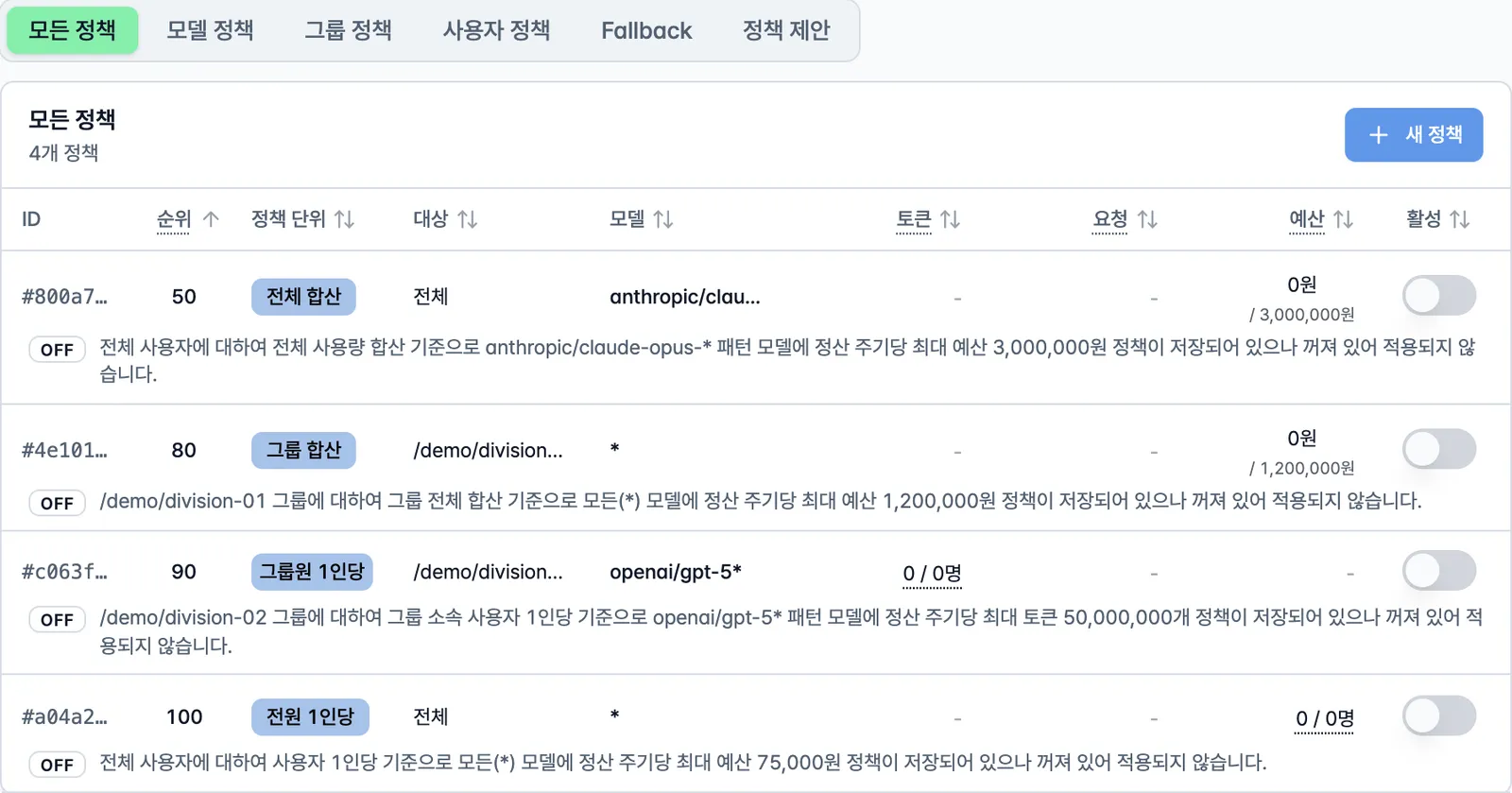
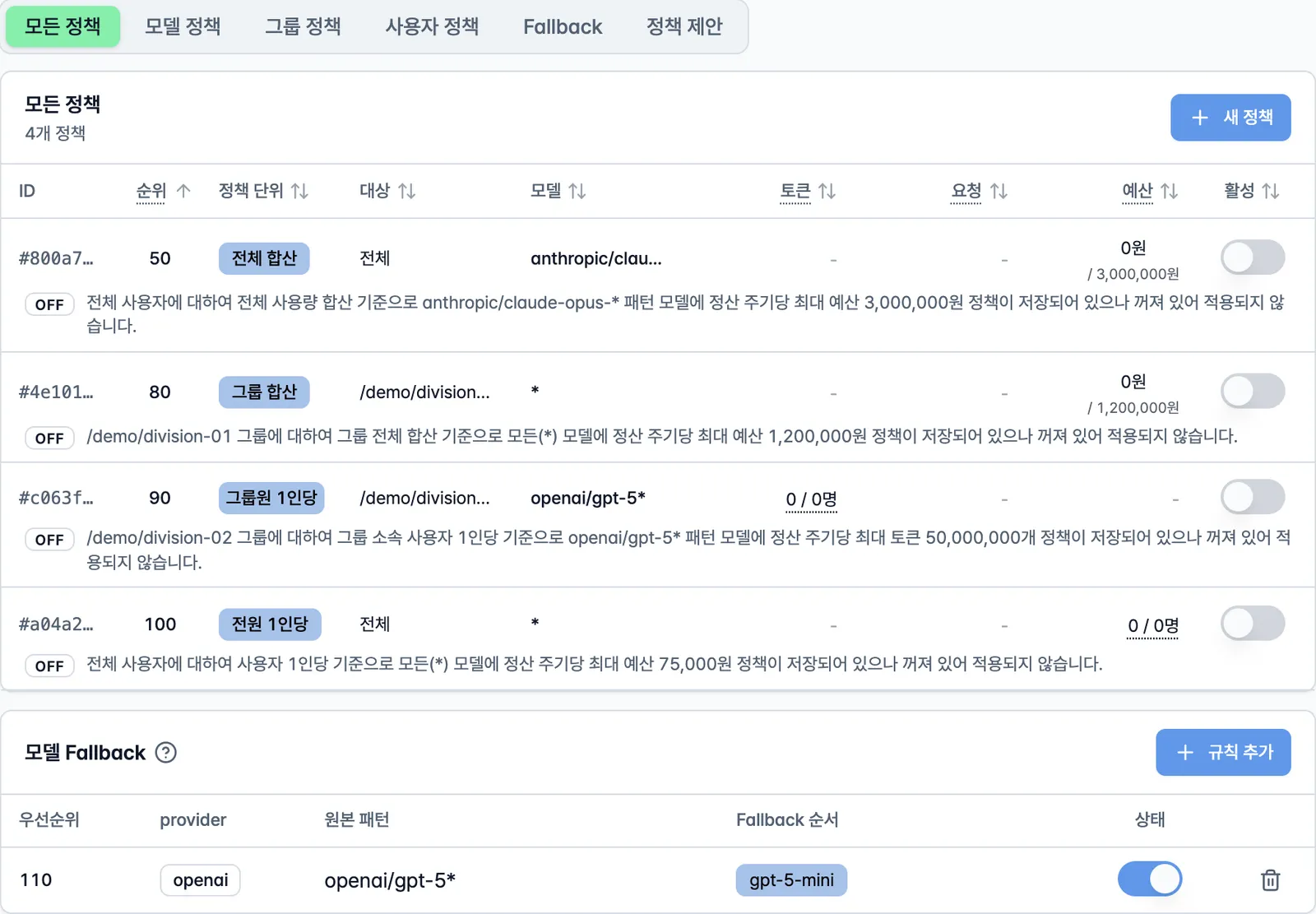
Lower priority numbers are evaluated first. Exact model names and longer patterns win ties, making the final result clear even when global defaults, group rules, and user exceptions overlap.
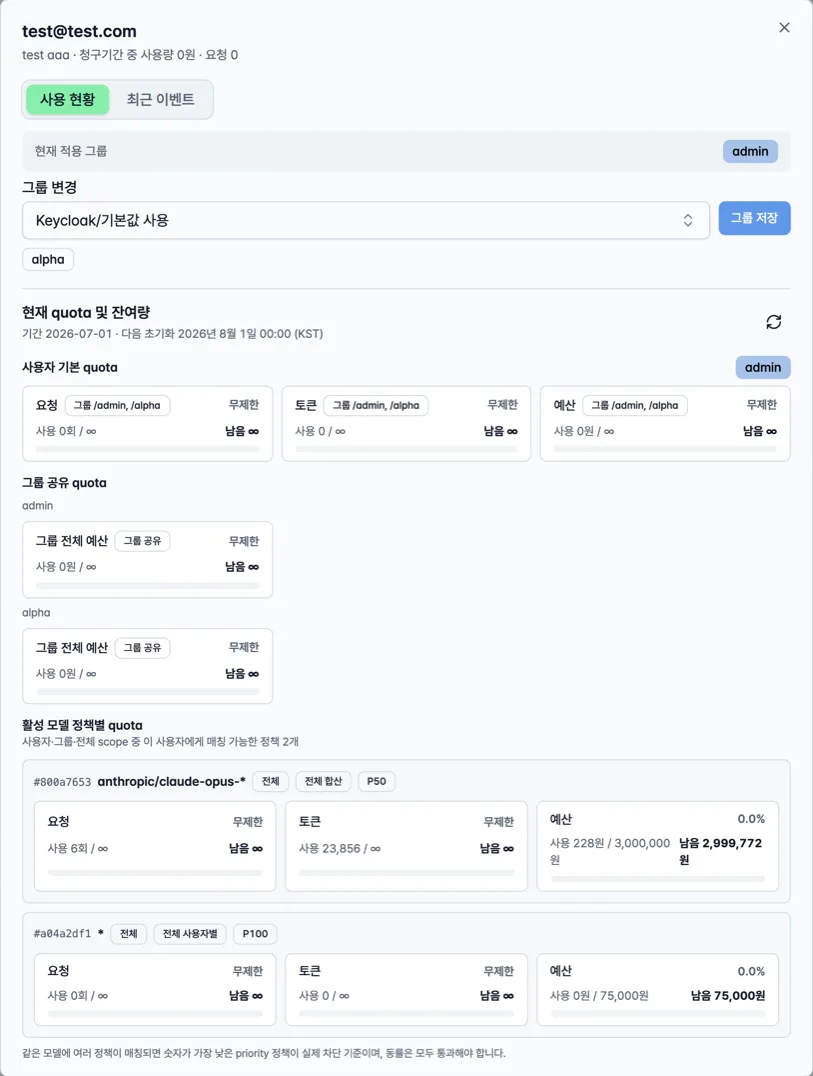
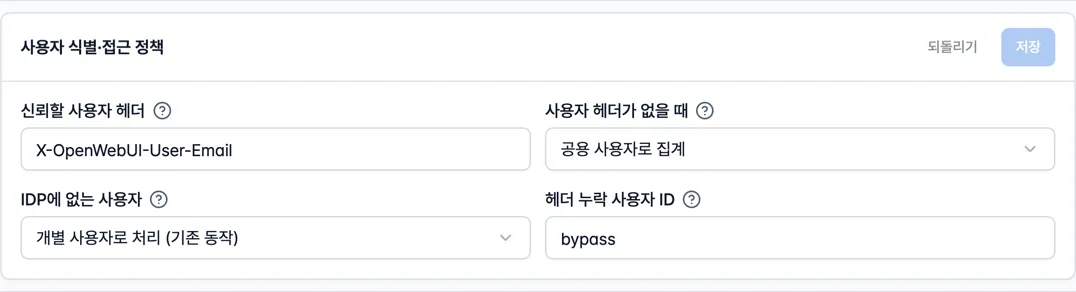
Connect groups from Microsoft Entra ID (Active Directory), Keycloak, and other internal identity systems to real request identities, then inspect inherited limits, individual overrides, and shared group budgets in one view. Regular users can also see their own utilization and reset time.
Calculate confirmed usage, in-flight reservations, remaining limits, and utilization for requests, tokens, and spend.
Enforce department-wide shared budgets alongside personal limits to prevent organizational overspend.
Let non-admin users see their limits, utilization, and next reset time without exposing administration.
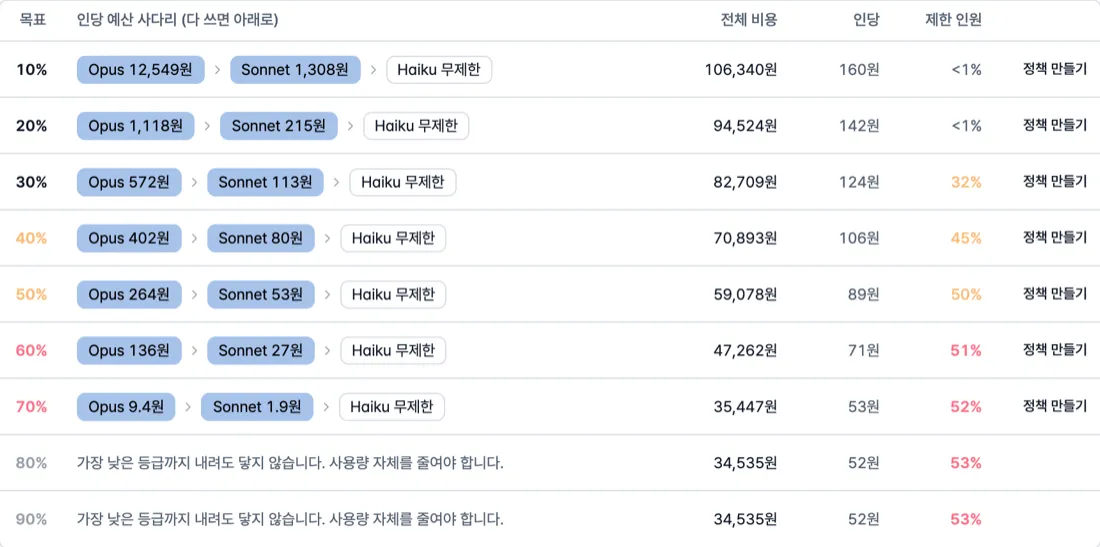
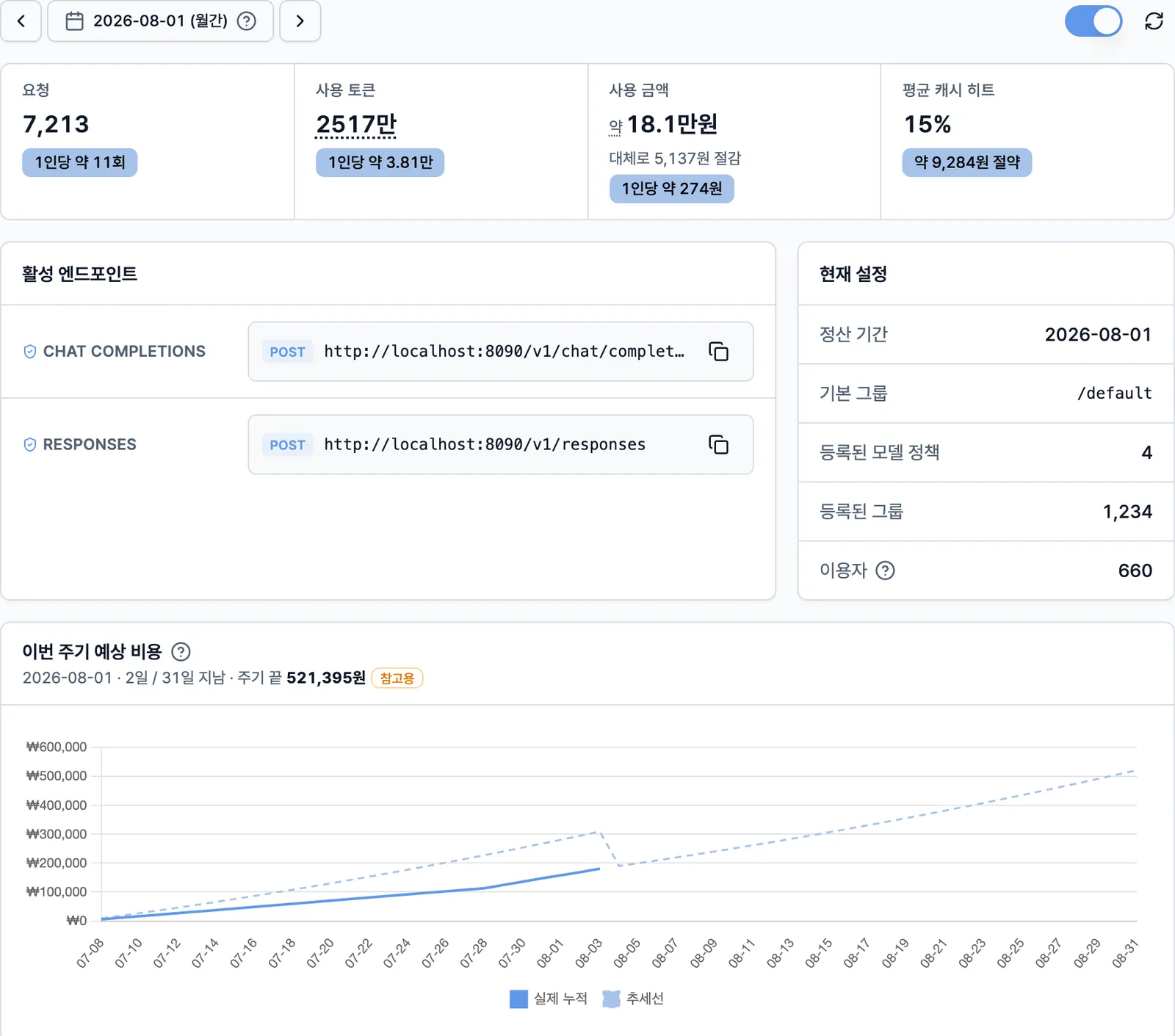
Unify provider pricing, actual input and output tokens, cache hits, and per-user usage patterns into one cost baseline. Compare model mixes by savings target, turn the selected scenario into limits and fallback policy, and keep validating realized savings after rollout.
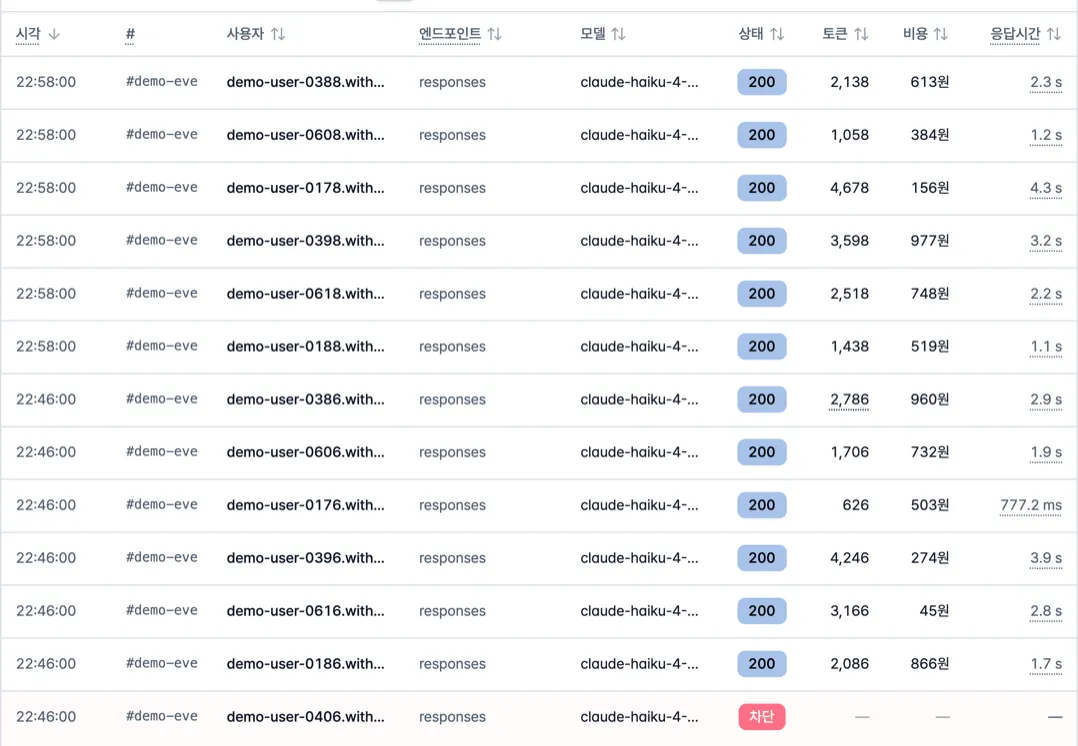
Dashboard aggregates connect to request-level events, so cost changes and user support cases can be investigated from the same data.
Combine model pricing with actual input and output tokens to calculate confirmed cost. Track tokens and spend saved through cache hits separately.
Compare which teams and users rely on each model instead of seeing only total spend. Use concentration and budget burn rate to find where policy needs adjustment.
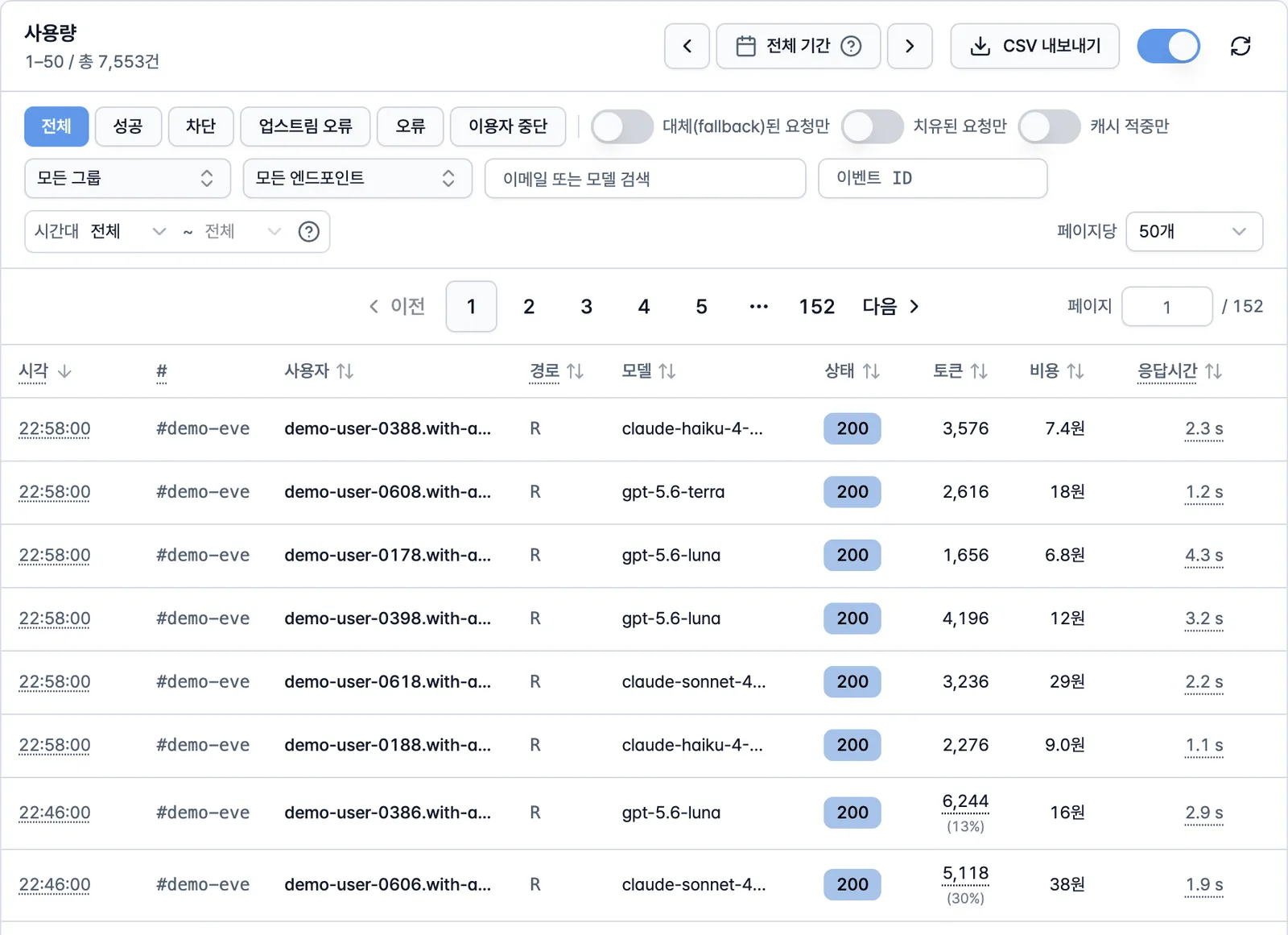
Record latency, status, and block reason for every request. When fallback runs, retain the requested and actual model, rule, reason, and attempt order.
Use an event ID to connect a support case to the exact request. Export events to CSV while retaining policy, key, and configuration changes in a separate admin audit log.
Do more than block requests. Apply approved fallback models and retry policy, then record what happened.
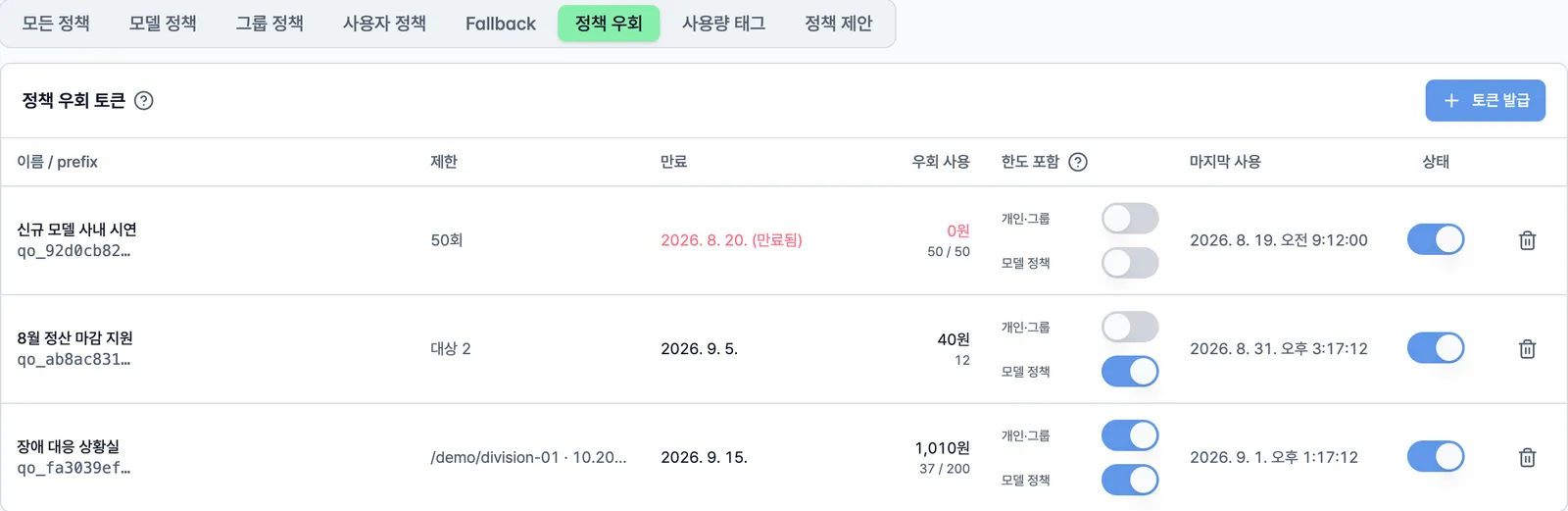
Deadline work, incident response, and demos sometimes need to pass despite a limit. Raising the limit and lowering it back is easy to leave undone and records neither what changed nor why. A request carrying a policy override token skips only the quota decision; usage is still aggregated, and cost and event records are retained.
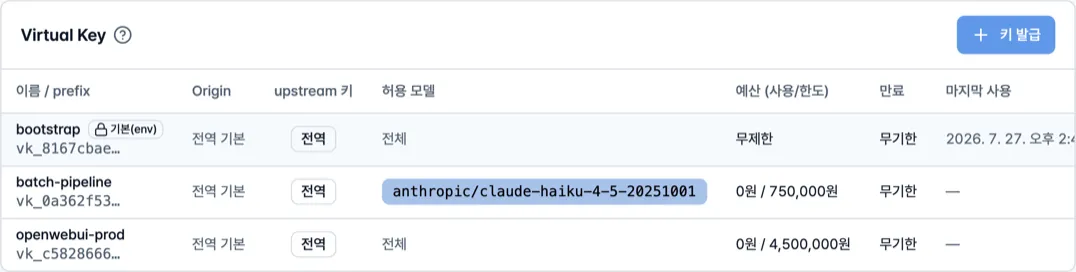
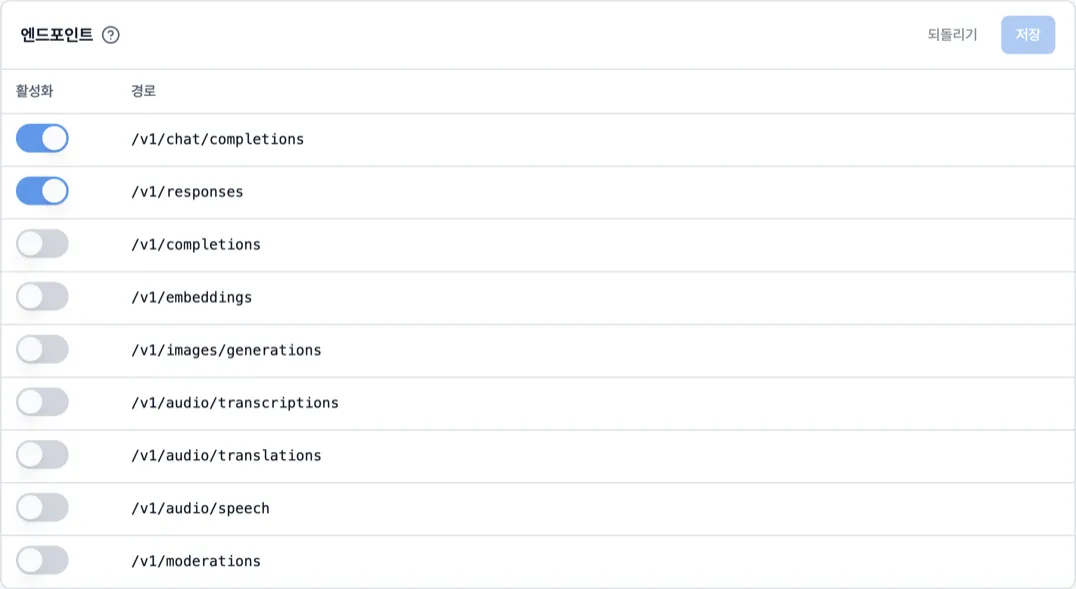
Manage request handling, failure response, pricing data, and audit scope alongside policy. In restricted environments, disable remote pricing sync and use only the embedded snapshot.
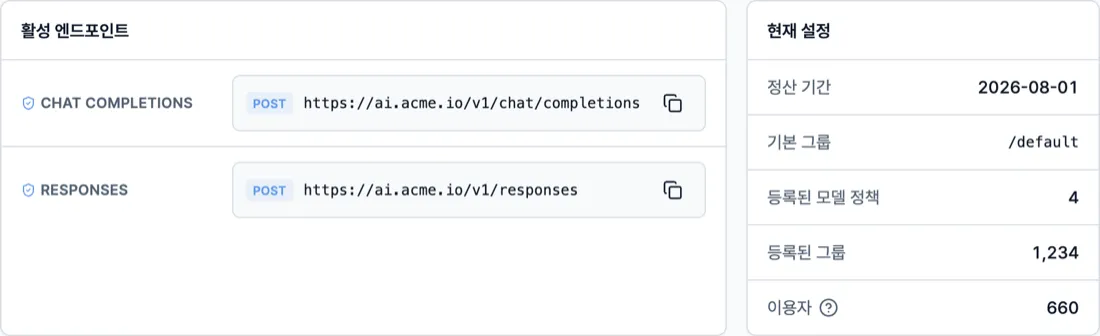
Keep OpenAI-compatible APIs for internal AI applications and workspaces such as OpenWebUI. Combine OIDC, group synchronization, and trusted headers from Microsoft Entra ID (Active Directory), Keycloak, or another internal identity system so the existing account structure becomes the basis of AI policy. Deploy the proxy, administration interface, and database within your own infrastructure to preserve the current operating model.
Request bodies are not stored by default; billing and quota decisions do not require prompt content. Usage events, audit logs, and original values saved before recalculation are retained without automatic deletion, preserving the records billing and audits need.
Every request is inspected, yet the added latency stays around 0.2 ms — users cannot feel the difference.
Median round-trip difference between direct and proxied calls. Users under a budget limit see the same latency with default pass-first admission.
A single process served about 400k requests over 20 seconds at 50 connections with zero errors and a 4 ms p99 latency.
Beyond the intake cap, only excess requests receive 429. Not a single usage event from served requests was dropped.
Measured on a local Apple Silicon machine against an OpenAI-compatible local upstream. Absolute figures may vary by environment and hardware.
Yoon & Yang LLC has deployed TokenBouncer firm-wide, controlling AI usage and reducing cost across the entire organization. Lawnect works with partners to build AI operations that fit legal work.